This Week in Broken Code: 5 Lessons from the Trenches
Real stories from our dev team: What we learned fixing broken code this week and how to spot these disasters before they cost you thousands. No tech jargon.
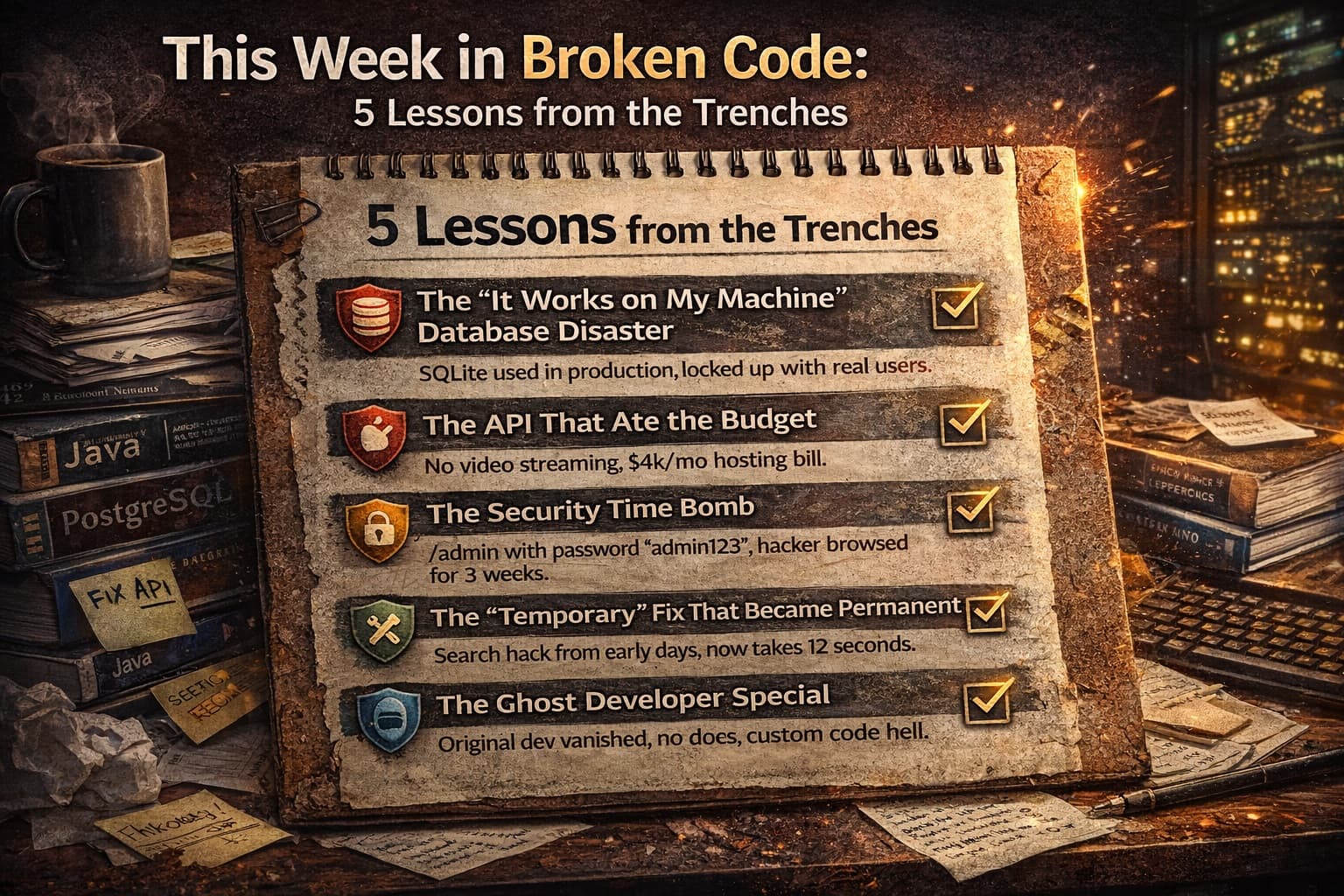
This Week in Broken Code: 5 Lessons from the Trenches
Monday morning. Coffee in hand. Slack notification: "Production is down. Users can't check out."
Not exactly how we wanted to start the week. But here's the thing—this is our reality. Every week at Ark Services, we inherit projects that are one bad deploy away from disaster. We see the same patterns, the same shortcuts, the same "how did this ever work?" moments.
And honestly? We love it. Not because we enjoy emergencies (we don't), but because every broken system teaches us something valuable. Something we can share with you so you never have to make that 3 AM panic call.
This week was particularly educational. Five different projects, five different flavors of chaos. Let me walk you through what we found, what we fixed, and—more importantly—how you can spot these problems in your own app before they become your Monday morning nightmare.
Lesson 1: The "It Works on My Machine" Database Disaster
The Scene: A subscription box startup. They'd hired an offshore team for $8,000 to build their platform. It worked great in testing. Then they launched. 500 users signed up in the first day. The database locked up completely.
What We Found: The developers had built the entire platform using SQLite. That's a database designed for testing, not for real users. It's like building a highway out of cardboard. Looks fine until the first truck drives over it.
When multiple users tried to subscribe simultaneously, the database literally couldn't handle the requests. Transactions failed. Payments processed but subscriptions didn't create. Chaos.
The Fix: We migrated them to PostgreSQL—a real production database—over a weekend. Had to reconcile 200+ orphaned payment records manually. It wasn't pretty.
Your Red Flag: Ask your developer what database they're using. If they say "SQLite" or "we'll upgrade later," run. Production databases cost maybe $20/month more but save you thousands in emergency fixes.
Lesson 2: The API That Ate the Budget
The Scene: A fitness coaching app. Their developer had built a custom video player. Every time a user watched a workout, the app downloaded the entire 500MB video file to their phone. Users burned through data plans in days. The hosting bill hit $4,000 in the first month.
What We Found: No video streaming. No compression. No CDN. Just raw video files sitting on a basic server, getting hammered by every user request. The developer had never built video features before and didn't know what he didn't know.
The Fix: Moved everything to a proper video hosting service with adaptive streaming. Videos now adjust quality based on connection speed. Hosting cost: $200/month instead of $4,000.
Your Red Flag: If your developer is building "custom" solutions for common problems (video, payments, authentication), they might be reinventing wheels badly. Standard solutions exist for a reason.
Lesson 3: The Security Time Bomb
The Scene: An e-commerce site processing $50k/month in sales. They'd been running for eight months without issues. Then a routine security scan found their admin panel at yoursite.com/admin with the password "admin123."
What We Found: No brute force protection. No two-factor authentication. No IP restrictions. Anyone who guessed that URL and tried common passwords could access their entire customer database, order history, and payment records.
The scary part? We checked the logs. Someone had guessed it. Three weeks ago. They'd been quietly browsing customer data for 21 days before we caught it.
The Fix: Emergency lockdown, forced password resets, proper authentication system, and a very uncomfortable conversation with their payment processor about PCI compliance.
Your Red Flag: Ask to see your admin panel URL. If it's something obvious like /admin or /dashboard, and if you don't need a code from your phone to log in, you're exposed. This isn't paranoia—this is basic hygiene.
Lesson 4: The "Temporary" Fix That Became Permanent
The Scene: A marketplace platform connecting freelancers with clients. They'd noticed search getting slower over six months. By the time they called us, a basic search took 12 seconds. Users were bouncing.
What We Found: A "temporary" workaround from their original developer. Instead of building proper search, he'd loaded the entire database into memory on page load and filtered it with JavaScript. Worked fine with 100 users. At 5,000 users, every search downloaded 50MB of data to the browser.
The developer had left a comment in the code: // TODO: Replace with real search before launch.
They launched. Six months passed. Nobody replaced it.
The Fix: Built actual search functionality with indexing. Search time: 200 milliseconds. The "temporary" solution had been costing them approximately $8,000/month in lost conversions from frustrated users.
Your Red Flag: Ask your developer about any "temporary" solutions or "TODO" comments in your codebase. If they exist, demand a timeline for fixing them. Temporary has a way of becoming forever when nobody's watching.
Lesson 5: The Ghost Developer Special
The Scene: A SaaS startup. Their original developer had disappeared three months ago—stopped responding to emails, vanished from Slack. The app was "mostly working" but they needed to add a simple feature: user roles (admin vs. regular user).
What We Found: No documentation. No code comments. A custom framework the developer had built himself instead of using standard tools. It took us four days just to understand how the authentication worked. Adding user roles required rewriting the entire permission system.
The original developer had essentially built himself job security through obscurity. When he left, he took all the knowledge with him.
The Fix: We rebuilt the auth system using standard, well-documented libraries. Added comprehensive documentation. Now any competent developer can work on it.
Your Red Flag: If your developer can't explain how your app works in simple terms, or if they resist using standard tools, they might be building a prison instead of a product. Ask: "If you got hit by a bus tomorrow, could another developer take over?" If they laugh nervously, that's not a good sign.
The Patterns We See (And What They Cost You)
After fixing broken code every week, we've noticed the same root causes keep showing up:
Hiring for price, not expertise
That $5,000 quote isn't a deal if it costs $30,000 to fix later. The cheapest developer is often the most expensive.
No technical oversight
Non-technical founders need a technical advisor, even if it's just for quarterly reviews. You don't know what you don't know, and bad developers count on that.
"Move fast and break things" taken literally
Speed matters, but sustainable speed requires solid foundations. Racing on a crumbling road just gets you to the crash faster.
Treating code as disposable
" We'll rewrite it later" is the most expensive sentence in software. Later rarely comes, and when it does, it's under emergency conditions with live users screaming.
What You Can Do This Week (Without Learning to Code)
You don't need to become a developer to protect yourself. Here's your homework:
Audit your hosting bill
If it's growing faster than your user base, you have inefficiency. Good code scales economically.
Check your admin access
Try accessing yoursite.com/admin or common paths. If you can reach a login page, make sure it requires more than a simple password.
Ask about your database
Email your developer: "What database are we using, and what's our plan when we hit 10x current users?" Vague answers mean they haven't thought about scale.
Request documentation
Ask for a simple document explaining your architecture. If they can't produce one, they don't understand your system well enough to maintain it.
Get a second opinion
Hire an independent developer (not your original one) to review your codebase for a few hours. It'll cost $500-1,000. It could save you $20,000 in emergency fixes.
At Ark Services, we offer these audits because we've seen too many founders learn these lessons the hard way. Sometimes the best code we write is the code that prevents disasters before they happen.
The Bottom Line
Broken code isn't always obvious. It works fine in demos. It handles your beta users. It passes basic tests. Then growth hits, or a security scanner runs, or your developer disappears, and suddenly you're in crisis mode.
The founders who win aren't the ones who never have technical problems. They're the ones who spot the warning signs early—before the database locks up, before the hosting bill explodes, before the security breach makes the news.
This week's disasters became next week's war stories. But they didn't have to be disasters at all.
Which of these red flags hit a little too close to home? Are you worried you might be sitting on a technical time bomb, or are you confident your foundation is solid? Tell us in the comments—we'll give you a quick gut-check on whether you need a checkup or a rescue mission. And if you want to stop worrying about 3 AM outages, you know where to find us.
Comments
Join the discussion