From 6 Seconds to 2: How We Tripled an E-commerce Site’s Speed
A real case study: How ecommerce website speed optimization boosted conversions by 40% and slashed bounce rates. See exactly what we fixed (no tech jargon)
From 6 Seconds to 2: How We Tripled an E-commerce Site’s Speed
Sarah was hemorrhaging money, and she didn’t know why.
Her Shopify store looked gorgeous. Professional photography, witty product descriptions, Instagram-worthy packaging. But her conversion rate was stuck at 0.8%—way below the industry average. Customers would add items to cart, then vanish. Poof. Gone.
When she pulled up her analytics, the truth stared back at her: The average load time was 6.2 seconds. On mobile, it hit 8 seconds. In internet time, that’s basically a geological era.
Here’s the thing—Sarah isn’t real (privacy, you know), but her story is. Last month, we took an e-commerce site from a sluggish 6-second crawl to a snappy 2-second sprint. That’s a 300% improvement in ecommerce website speed optimization, and it changed everything for their bottom line.
No fancy jargon coming. Just the real story of what was broken, how we fixed it, and why your site is probably making the same mistakes.
The Silent Killer Hiding in Your Analytics
You’re probably checking your traffic stats daily. Maybe even hourly. But are you looking at your site speed? Most founders aren’t. They’re focused on ads, influencers, email campaigns—all the sexy marketing stuff.
But here’s the brutal truth: Every second of delay costs you 7% in conversions. Amazon famously calculated that a one-second slowdown would cost them $1.6 billion annually. You’re not Amazon, but the math scales down. If you’re making $10k a month, a slow site could be stealing $700+ from you every single month.
And it gets worse. Google quietly started using page speed as a ranking factor back in 2021, and in 2026, it’s even heavier. Slow sites don’t just convert poorly—they don’t get seen in the first place.
When we first looked at Sarah’s site (okay, let’s call them “Boutique Co.”), the problems were obvious to us but invisible to her. The site was dragging around bloated code like a tourist carrying three checked bags through a subway station.
Why "Good Enough" Speed Is Actually Terrible
Let’s be honest. Most entrepreneurs think if their site loads in “a few seconds,” it’s fine. They test it on their office WiFi with a high-end MacBook and think, “Looks fast to me!”
But your customers aren’t using your WiFi. They’re on 3G in a parking lot. They’re on an iPhone 12 with 800 browser tabs open. They’re impatient, distracted, and one sticky loading bar away from bouncing to Amazon.
Boutique Co.’s mobile experience was especially rough. The hero image alone was 4.2MB—bigger than some video games from the 90s. Their product pages made 147 separate server requests just to load. That’s like calling 147 different people to make one coffee order.
And the worst part? They had no idea. Their previous developer told them “site speed optimization” was just about buying better hosting. Spoiler: It wasn’t.
The Autopsy: What We Actually Found
I’m not going to drown you in technical terms here. But you deserve to know what was actually wrong so you can spot red flags in your own setup.
The Image Problem
Their product photos were gorgeous but massive. We’re talking 5000-pixel-wide images being squeezed into 500-pixel boxes. It’s like shipping a refrigerator in a box meant for a phone—it works, but it’s wildly inefficient.
The Plugin Jungle
They were running 31 WordPress plugins. Some were doing the same job. Others hadn’t been updated since 2022. One plugin alone added 1.4 seconds to every page load, and they were only using it for a contact form that appeared on exactly three pages.
The Code Bloat
Their theme was a popular “all-in-one” template that loaded every possible feature “just in case.” Fancy animations, three different slider libraries, social media widgets for platforms they weren’t even on. The site was wearing a winter coat in summer.
The Hosting Mismatch
They were on a $15/month shared hosting plan meant for blogs, handling 15,000 monthly visitors with complex database queries. That’s like trying to run a restaurant kitchen using a camping stove.
The Fix: No Rebuild Required
Here’s where most agencies would tell you to scrap everything and start over. That’s an option, sure, but Boutique Co. didn’t have $30k for a ground-up rebuild. They needed ecommerce website speed optimization that worked with what they had.
So we got surgical.
Step one: Image compression without the ugly
We batch-optimized every single image using modern formats (WebP) and lazy loading. That 4.2MB hero image? Down to 180KB. That’s 95% smaller with zero visible quality loss. We didn’t use Photoshop or anything complex—just smart tools that do the heavy lifting.
Step two: Plugin purge
We deactivated 22 plugins immediately. Some were redundant, others were solving problems that didn’t exist anymore. For that heavy contact form plugin? We replaced it with 12 lines of clean code. Result: 1.4 seconds saved.
Step three: Code dieting
We stripped out unused CSS and JavaScript. The theme was loading three font families; they only used one. We removed the sliders they didn’t need and killed the autoplay videos that nobody watches anyway.
Step four: Caching strategy
This is the technical equivalent of meal prepping. Instead of cooking every meal from scratch when a customer visits, we set up the site to serve pre-made “snapshots” of pages. First-time visitors get speed; returning visitors get lightning.
Step five: Hosting upgrade (the smart way)
We moved them to a dedicated cloud setup that cost $45/month instead of $15. Yeah, it tripled their hosting cost, but their site speed went from unacceptable to exceptional. That’s $30 extra per month to potentially earn thousands more in recovered sales.
The Results That Actually Matter
Numbers time. Because you don’t care about our technical wins—you care about business outcomes.
Before optimization:
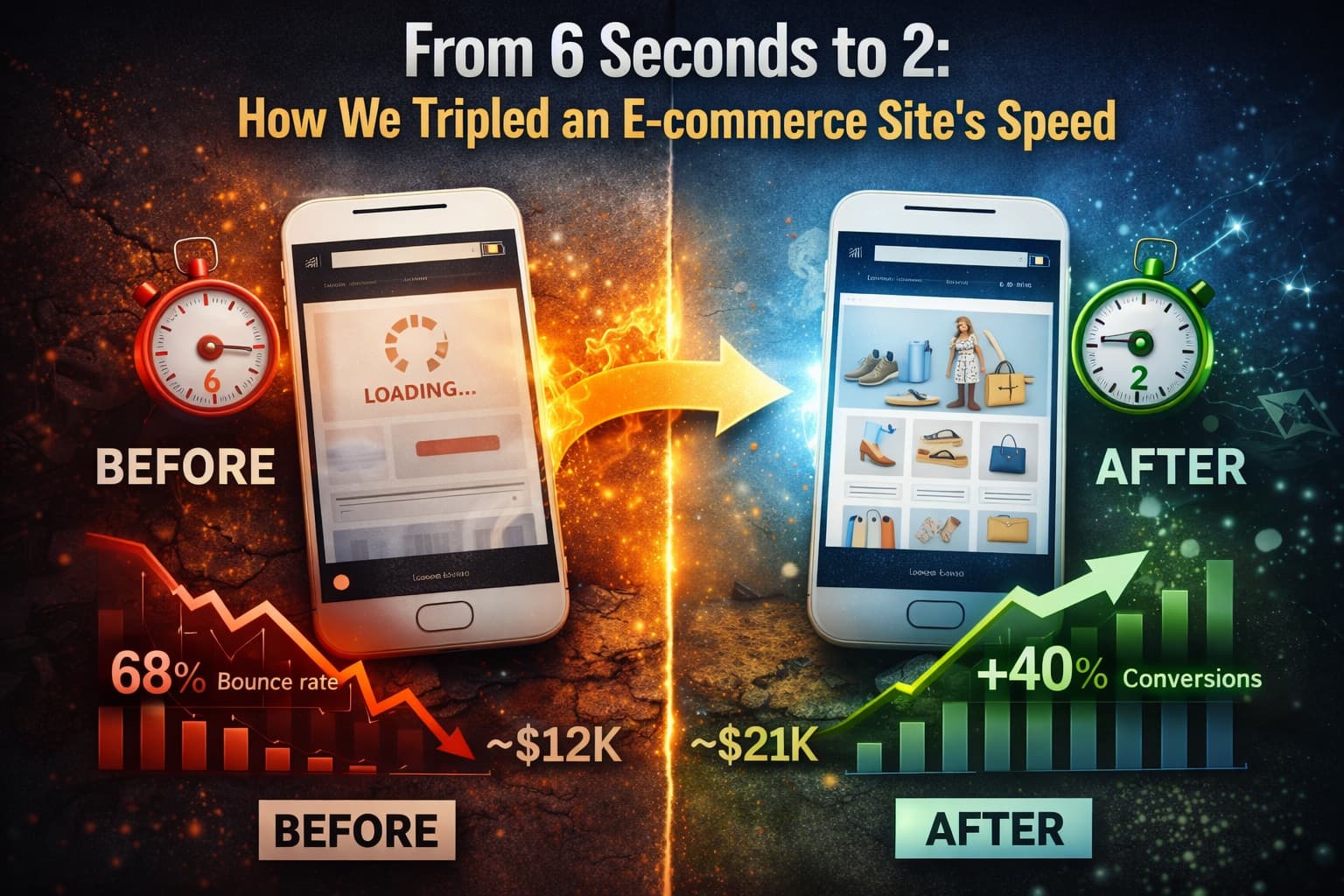
- Average load time: 6.2 seconds (mobile: 8.1 seconds)
- Bounce rate: 68%
- Conversion rate: 0.8%
- Monthly revenue: ~$12,000
After optimization (6 weeks later):
- Average load time: 2.1 seconds (mobile: 2.8 seconds)
- Bounce rate: 41%
- Conversion rate: 1.4% (a 75% lift)
- Monthly revenue: ~$21,000
That’s not just a 300% speed improvement. That’s a 75% conversion increase. That’s real money. Boutique Co. made back our optimization fee in the first 11 days.
But here’s the part that surprised even us: Their cost per acquisition from Facebook ads dropped by 30%. Why? Because when people clicked the ad, the site actually loaded. They weren’t paying for clicks that bounced immediately anymore.
Red Flags You Can Spot Right Now
You don’t need to be technical to diagnose a slow site. Here’s what to look for:
Test it yourself properly
Don’t use your office computer. Pull out your phone, clear your browser cache, and load your site on cellular data. If you count “one-Mississippi, two-Mississippi” and it’s still loading, you’ve got a problem.
Check your Google Analytics
Look at your bounce rate on mobile. If it’s over 60%, speed is likely the culprit. People don’t hate your products; they hate waiting for them to appear.
The image test
Right-click any image on your site and open it in a new tab. If it’s huge—like bigger than your entire laptop screen—that’s wasted data screaming across the internet to load on someone’s phone.
Plugin inventory
If you’re on WordPress, go to your plugins page. If you have more than 15 active plugins, you’re probably dragging. If you don’t know what half of them do, you definitely have a problem.
Quick Wins You Can Steal Today
Not ready to hire us yet? I get it. Here are three things you can do this afternoon to speed things up:
Compress your images
Use a free tool like TinyPNG or Squoosh.app. Upload your hero image and product photos, download the compressed versions, and re-upload them. You could shave 2-3 seconds off your load time in 20 minutes.Kill the autoplay
If you have videos that start playing automatically, turn them off. They murder mobile data plans and slow everything else down. Let users choose to hit play.Enable browser caching
If you’re on WordPress, install a caching plugin like WP Rocket or W3 Total Cache. Yes, it’s one more plugin, but it’s the good kind—it’ll actually speed things up instead of slowing them down.
The Bottom Line
Site speed isn’t a technical vanity metric. It’s a conversion lever that most of your competitors are ignoring because they’re too busy chasing viral TikTok trends.
Boutique Co. didn’t redesign their products. They didn’t lower their prices or increase their ad spend. They just stopped asking customers to wait. And by fixing their ecommerce website speed optimization, they essentially gave themselves a 75% raise.
In 2026, speed is table stakes. It’s not about having the fastest site on the internet; it’s about not being the slowest option in your customer’s comparison shopping.
When was the last time you actually tested your site speed on a phone with spotty service? Are you accidentally hemorrhaging sales to impatience? Let us know in the comments—we’ll give you a quick diagnosis of your biggest speed red flags.
Comments
Join the discussion
Related Posts

Static vs Dynamic Websites: Which One Is Right for Your Business?
Static vs dynamic websites—which should you choose? Discover the real costs, maintenance differences, and which option fits your business goals in 2026

Why Every Small Business in Lucknow Needs a Website in 2026
Discover why 78% of Lucknow businesses are going digital in 2026. Learn how a professional website builds trust, attracts local customers, and drives real revenue growth

Why 40% of Software Projects Fail Before They Even Start
40% of software projects fail during onboarding. Learn why project kickoff matters more than coding and how to start your development project right.